Brocor Tasks: from a paper checklist to a live auction task system in two weeks
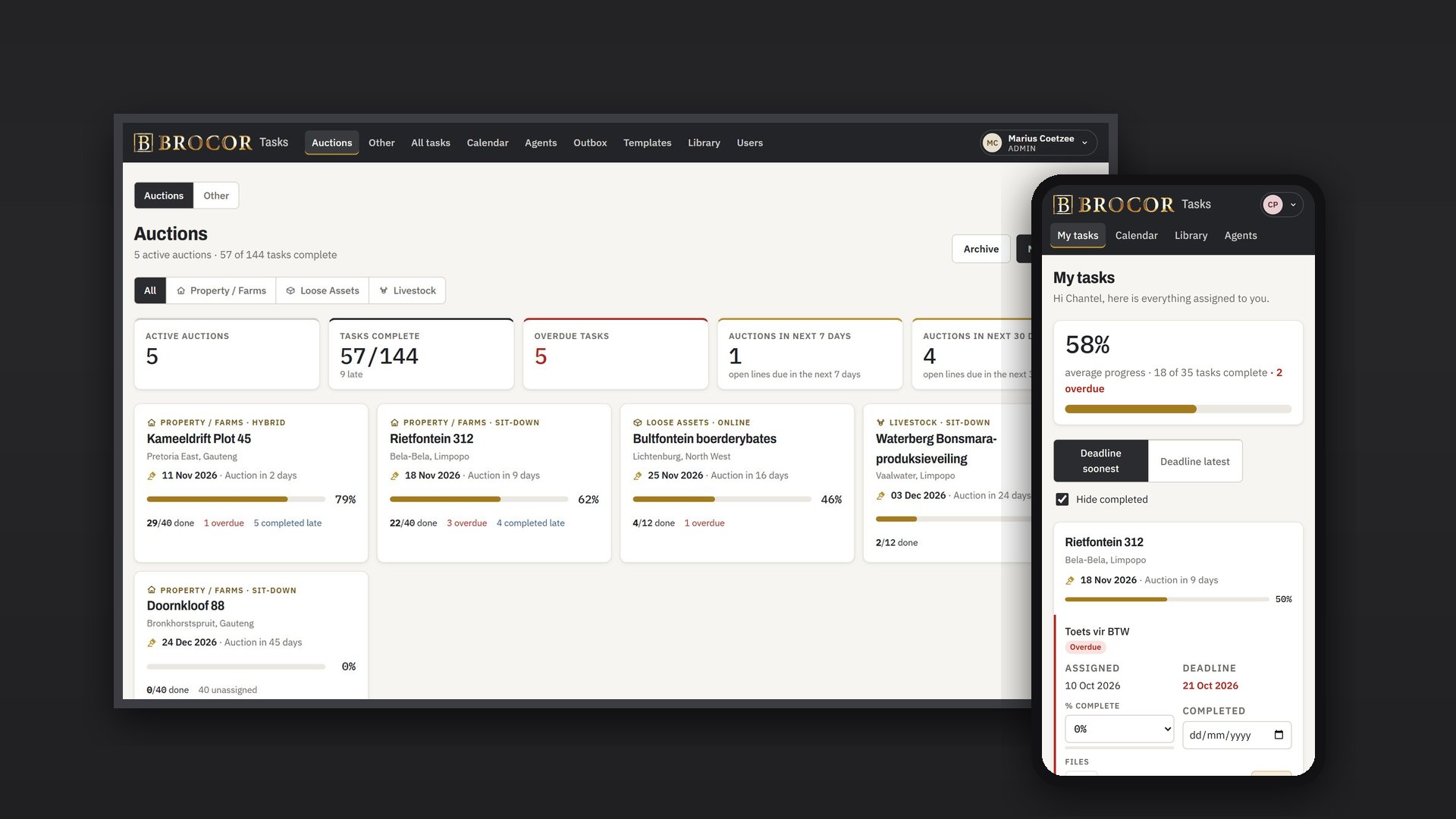
Brocor Tasks replaced the printed task sheet behind every Brocor auction with one shared system. Every task has an owner, a deadline and a progress figure, managers see every auction at a glance, and agents update their work from their phones.
Client: Brocor, a South African auction house running property, loose-asset and livestock auctions · Delivered by Cyberpunk AI
- Live in 2 weeks
- Desktop and phone
- ~1,100 automated tests
The challenge
What needed solving
Every Brocor auction is prepared from a checklist of 40 to 50 tasks: confirm the date, book the venue, collect the mandate, order the boards, build the catalogue, load the online platforms, invoice buyers, pay sellers. Until now that list lived on a printed sheet per auction, with owners and dates written in by hand.
- Nobody could see across auctions who was behind or what nobody owned.
- Follow-ups were chased by phone, and notes lived in WhatsApp threads.
- Documents such as mandates and vehicle papers were scattered.
- New staff had no easy way to find the right form or how-to for a task.
What we built
The solution, feature by feature
One task list per auction
A manager creates an auction from a template for its type (property, loose assets or livestock). Every line is assigned to its usual person and dated from the auction date in one step, in the team's own Afrikaans wording.
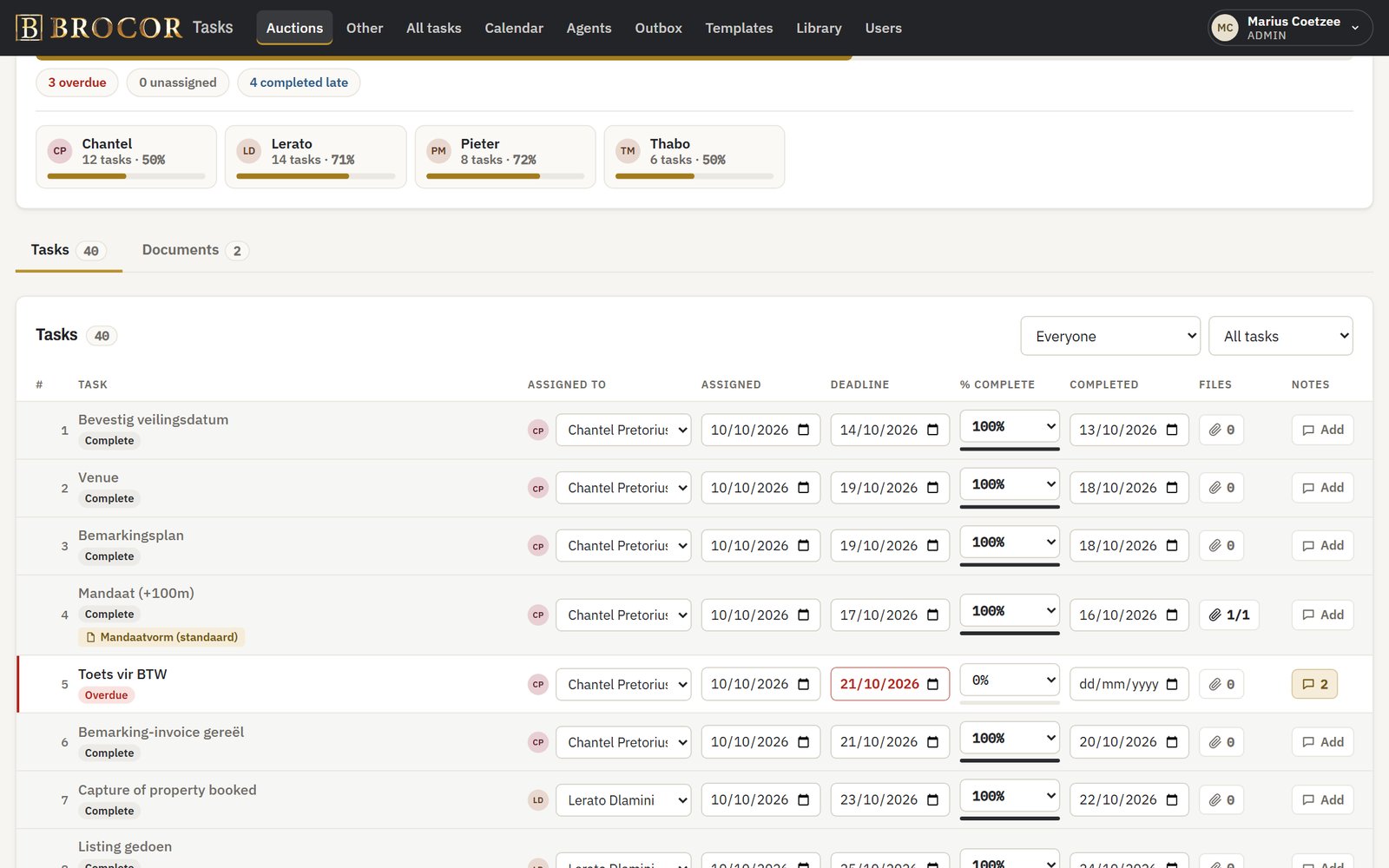
A dashboard that shows where every auction stands
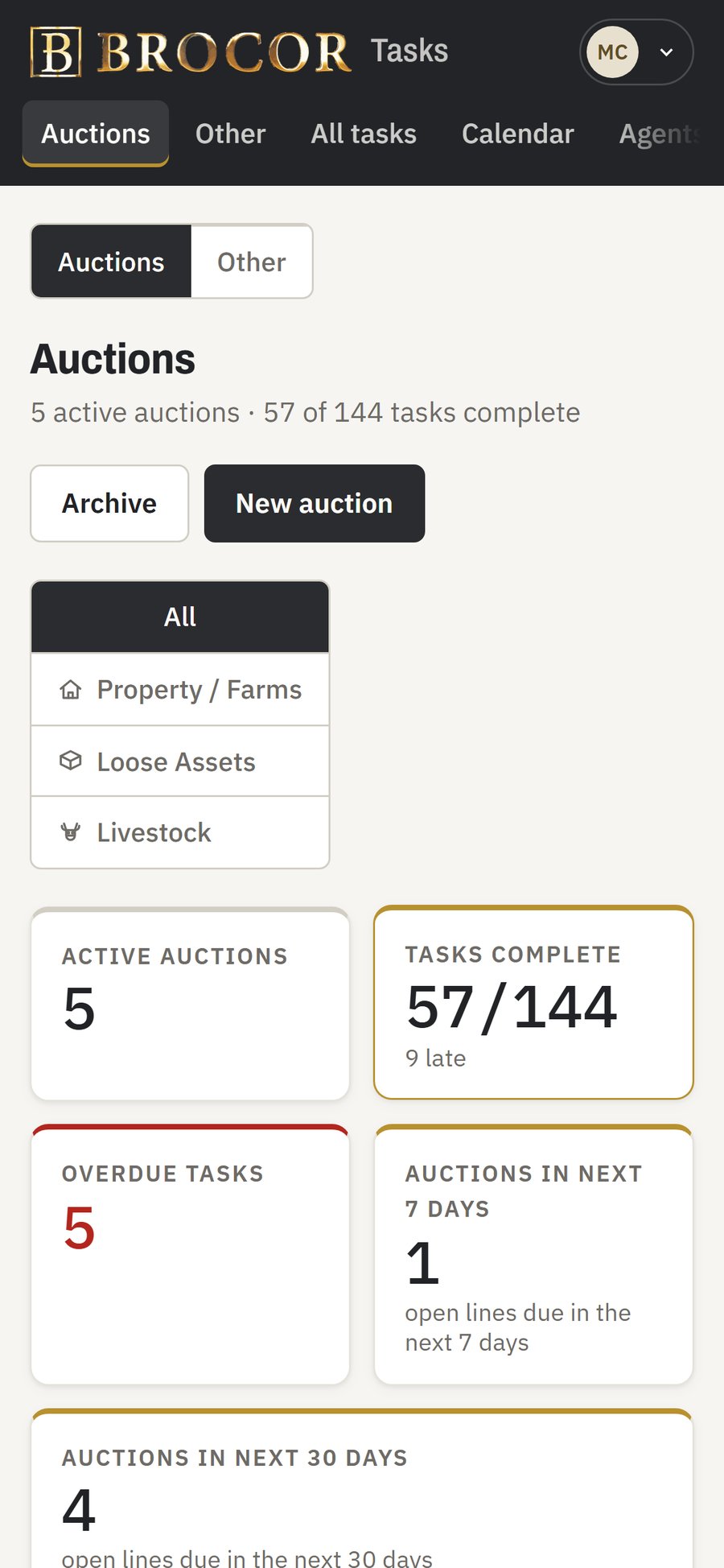
Active auctions, tasks complete, overdue tasks, and auctions in the next 7 and 30 days, filterable by auction type, with an overdue list and each person's workload.
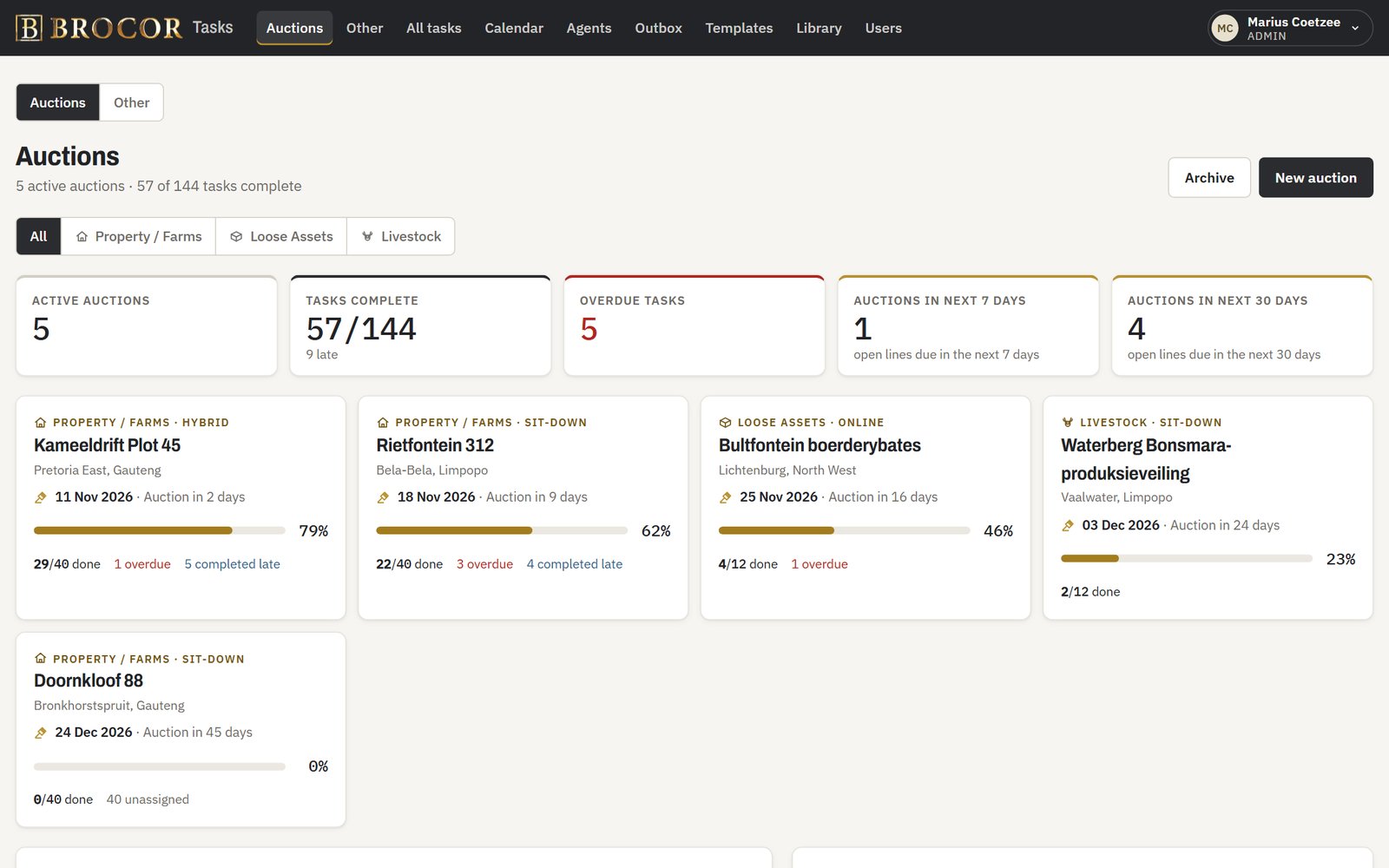
Phone-first “My tasks” for agents
Each person sees only their own work, grouped by auction. They update progress (25, 50, 75, 100%), add notes and attach photos or documents straight from the phone camera. Every change saves immediately.
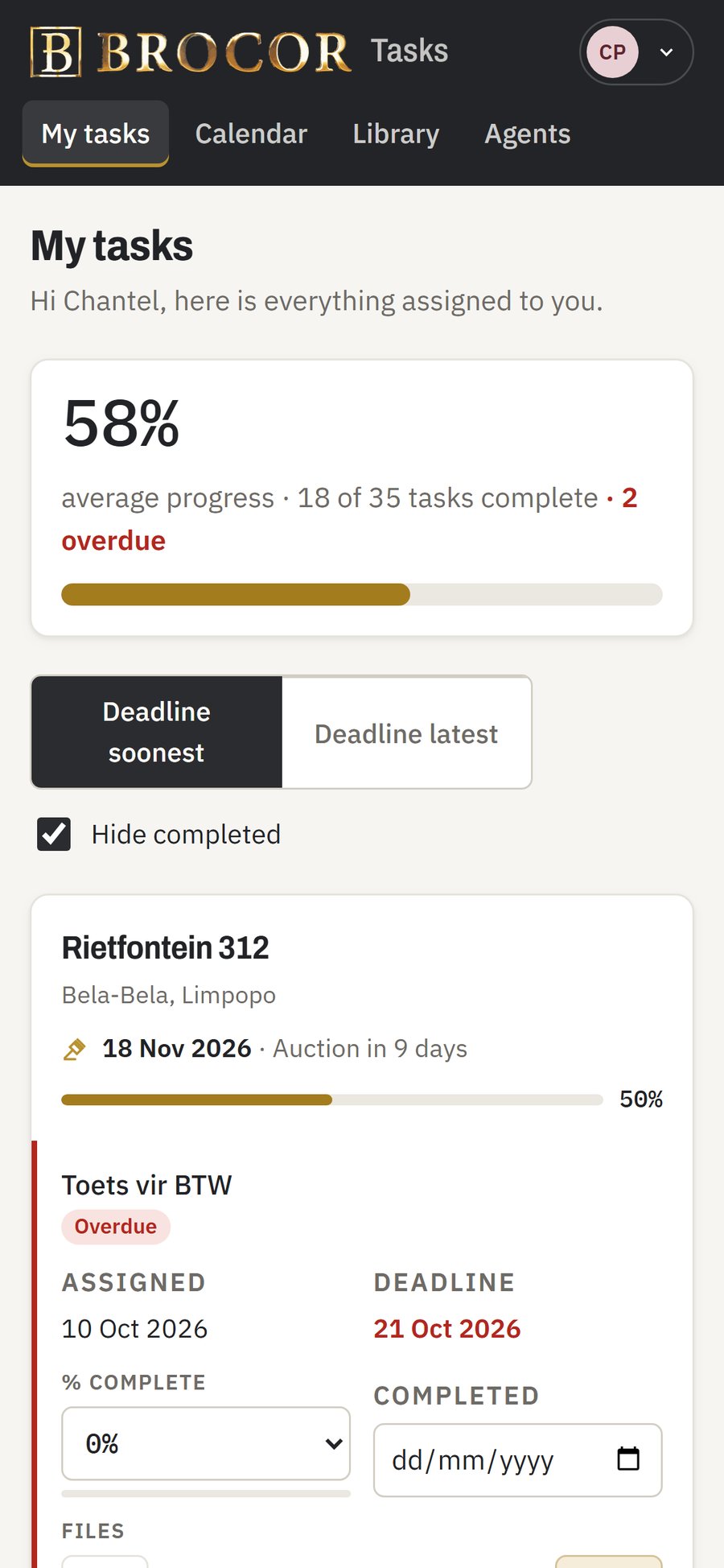
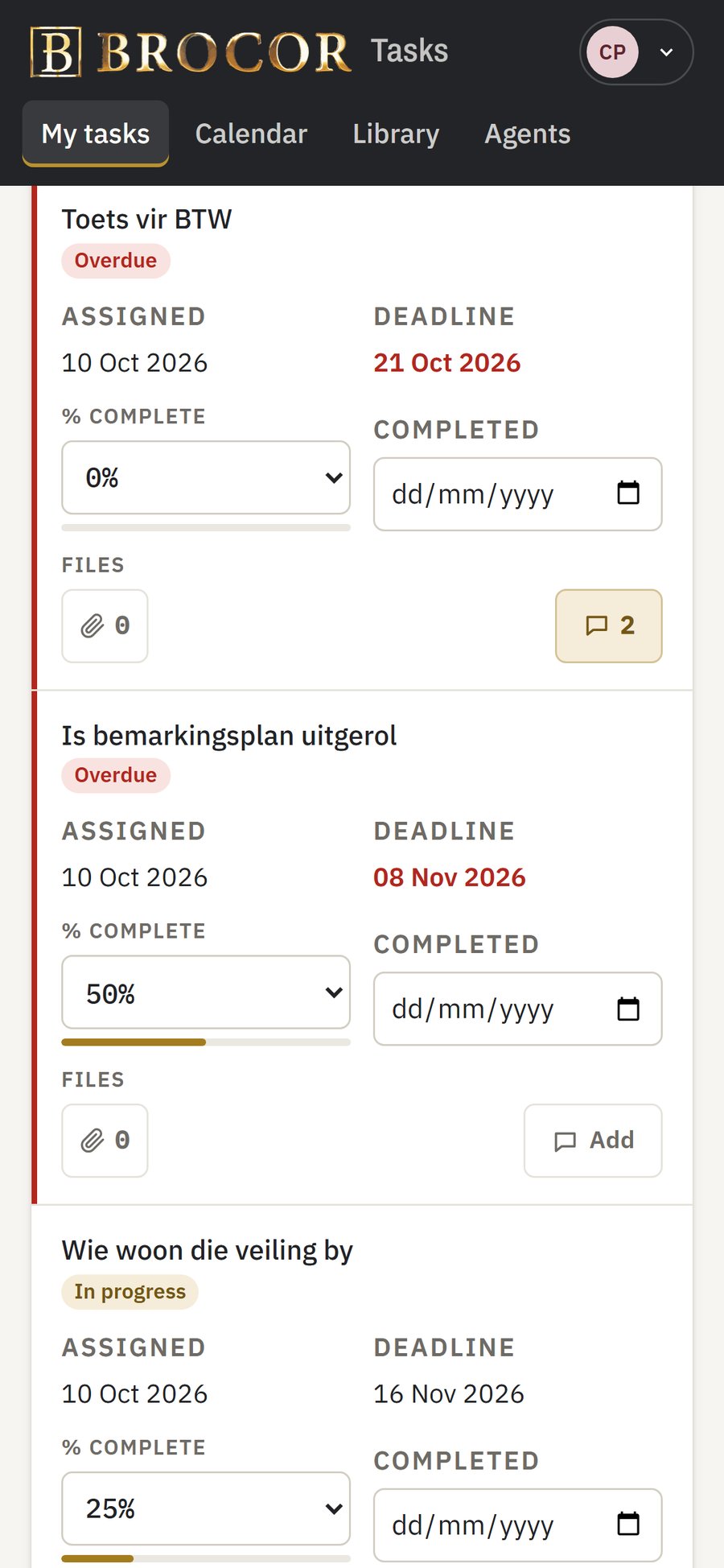
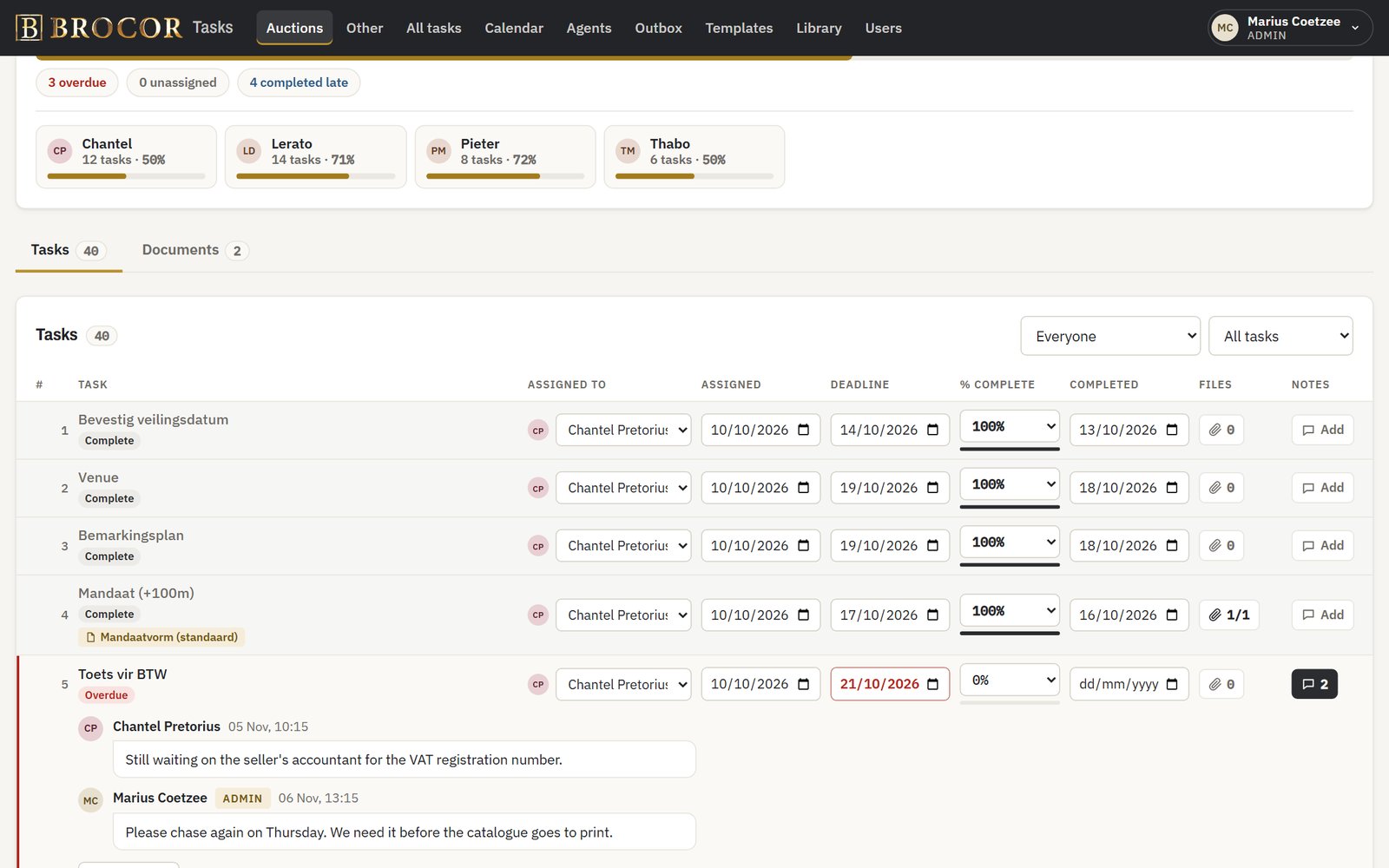
Notes that reach the right person
A note on a task emails the responsible manager, and a manager's reply emails the agent, so the conversation stays with the task.
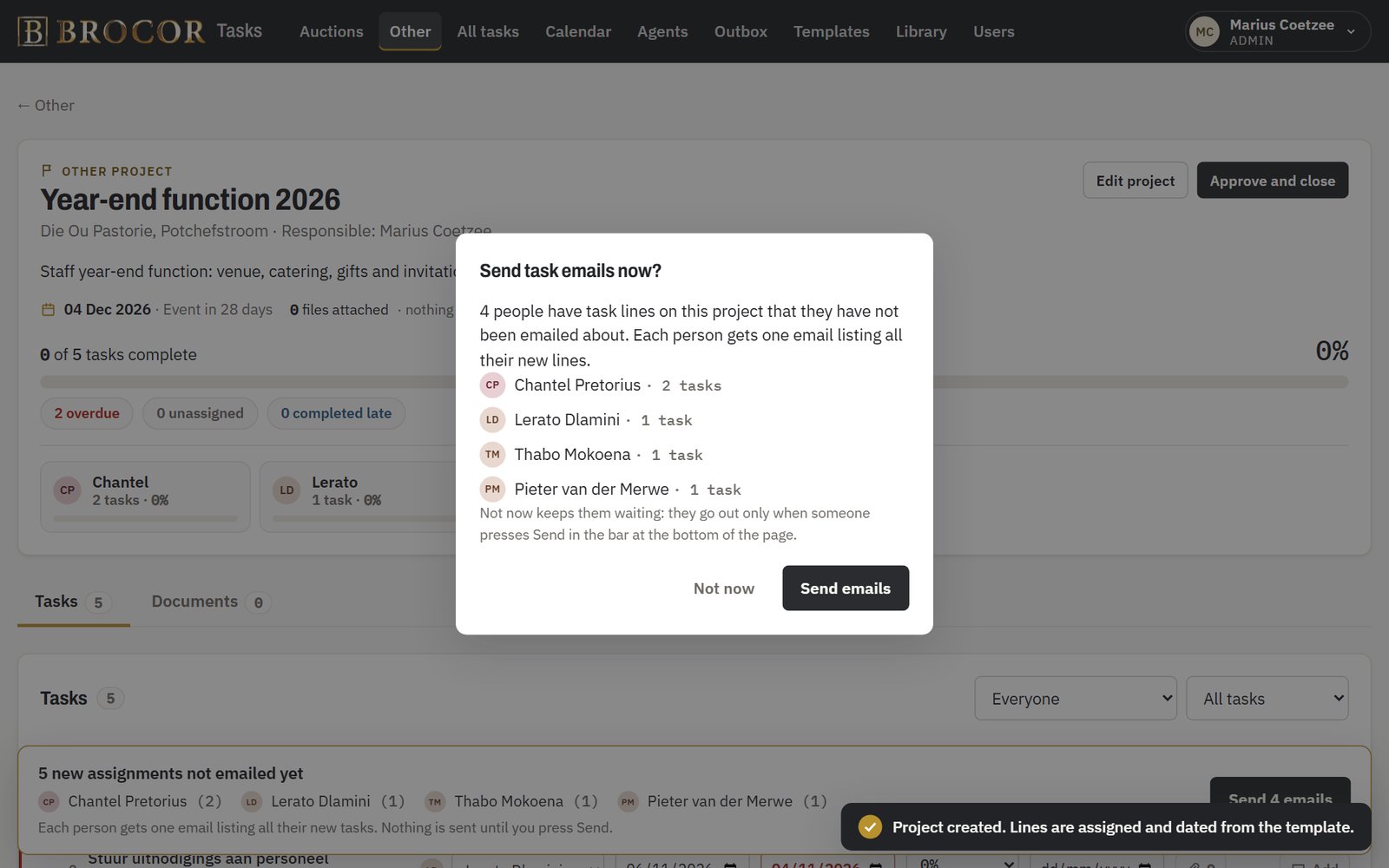
Batched emails, sent only when you say so
Assignments go out as one email per person per auction, and after creating an auction the app asks before anything is sent.
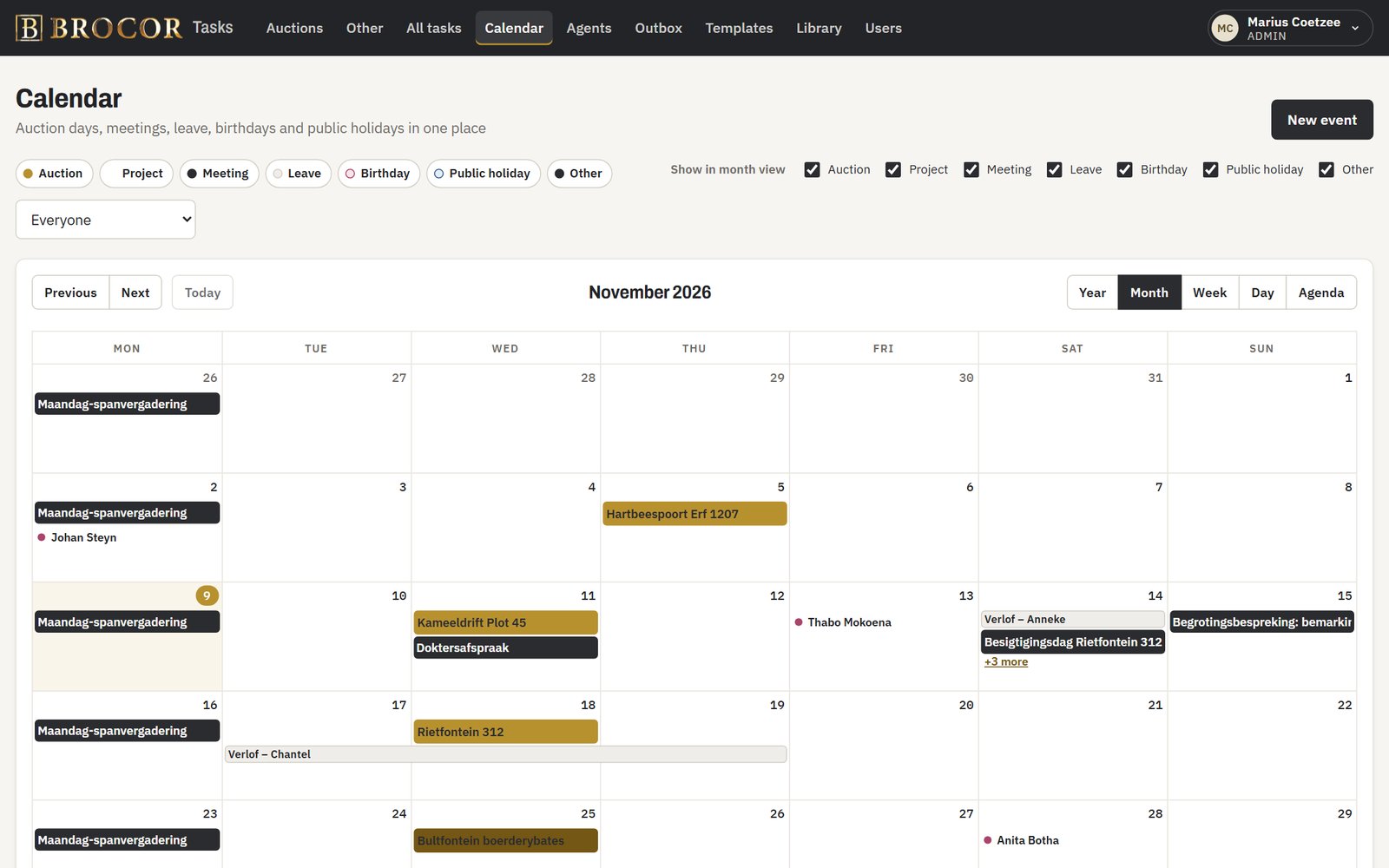
A master calendar
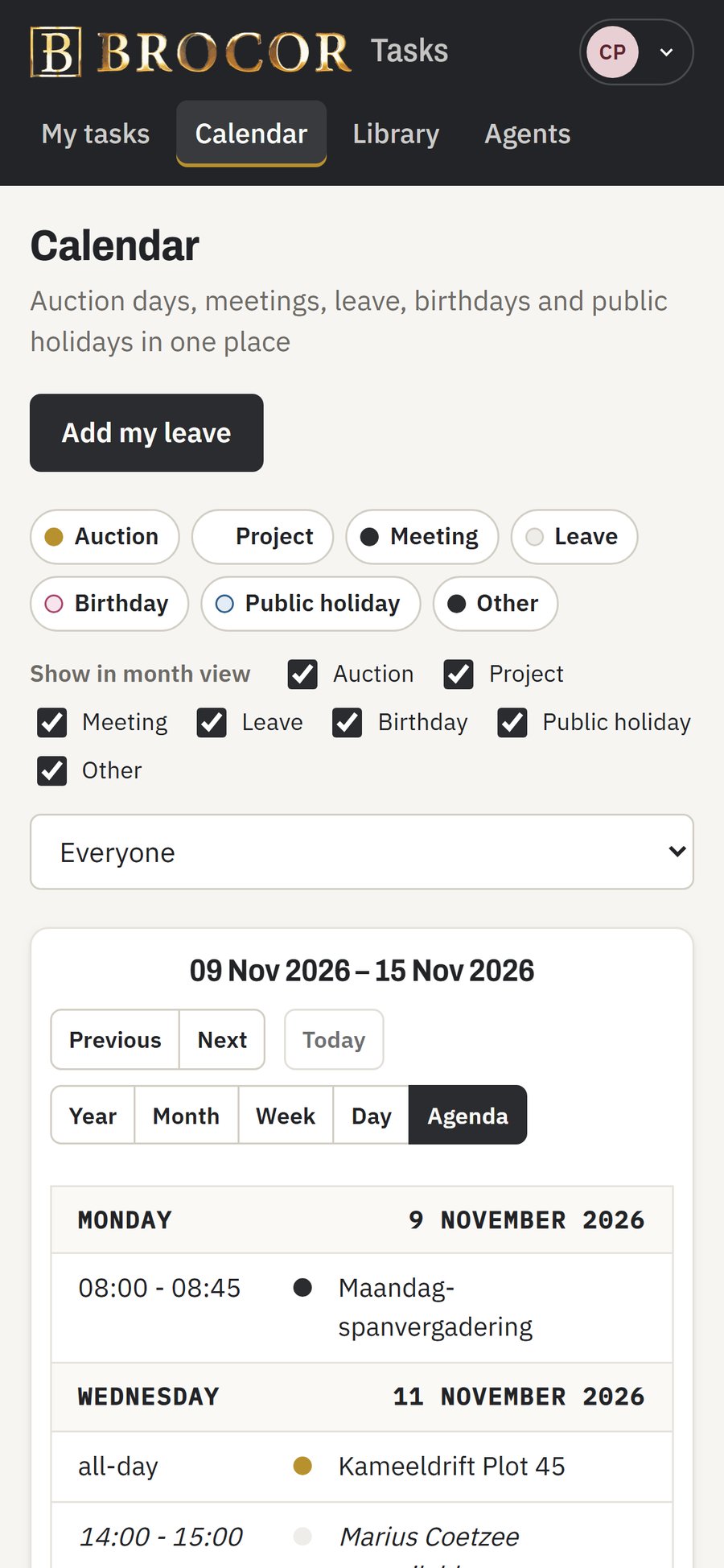
Auction days, meetings, leave, birthdays and South African public holidays, with month, week, day, agenda and a full-year view that previews each day on hover. Private events show only as “unavailable”.
Beyond auctions
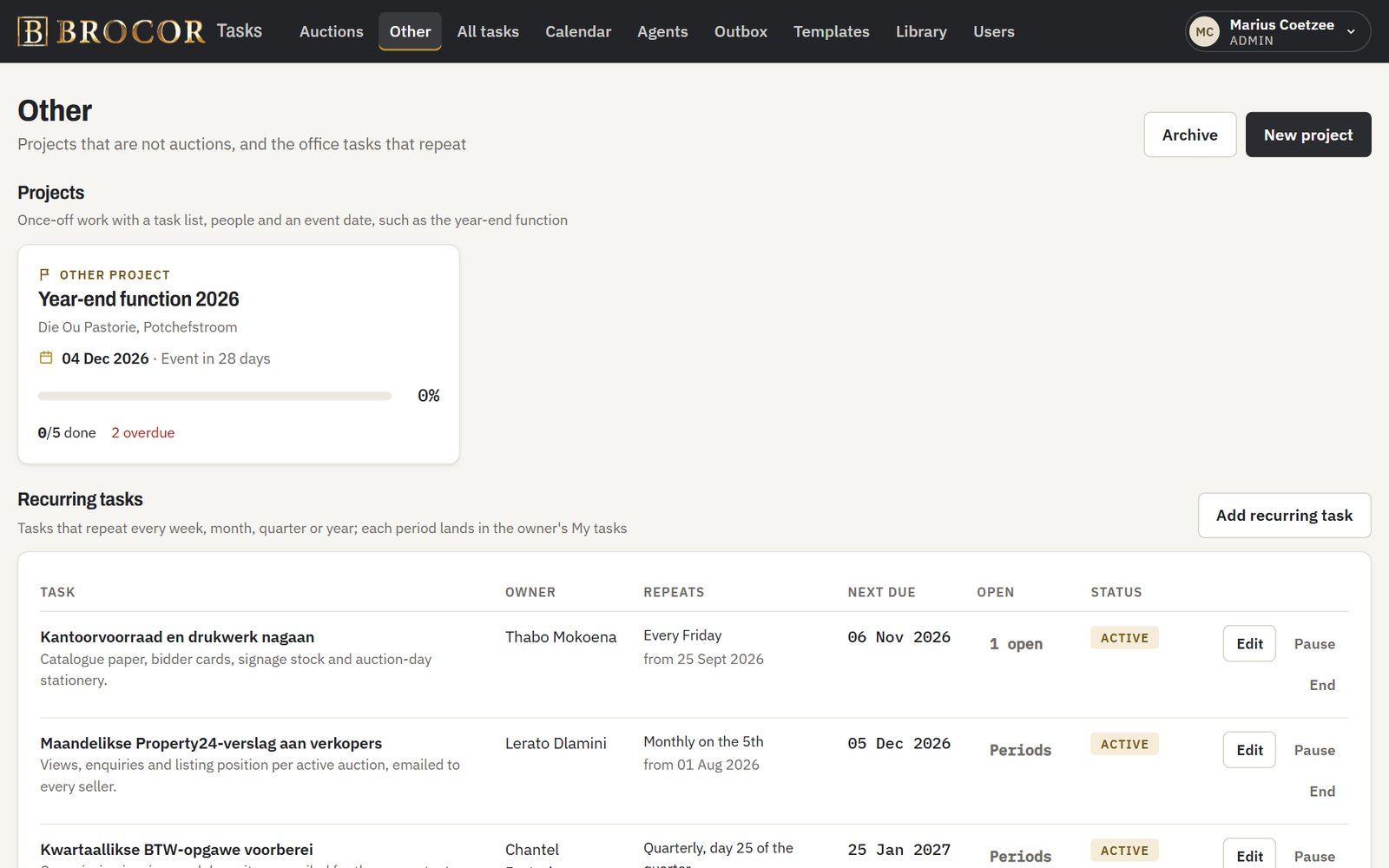
“Other” projects, such as the year-end function, work like auctions with their own templates, and recurring office tasks (monthly reports, VAT, payroll) land on the owner's list every period.
Templates, library and team directory
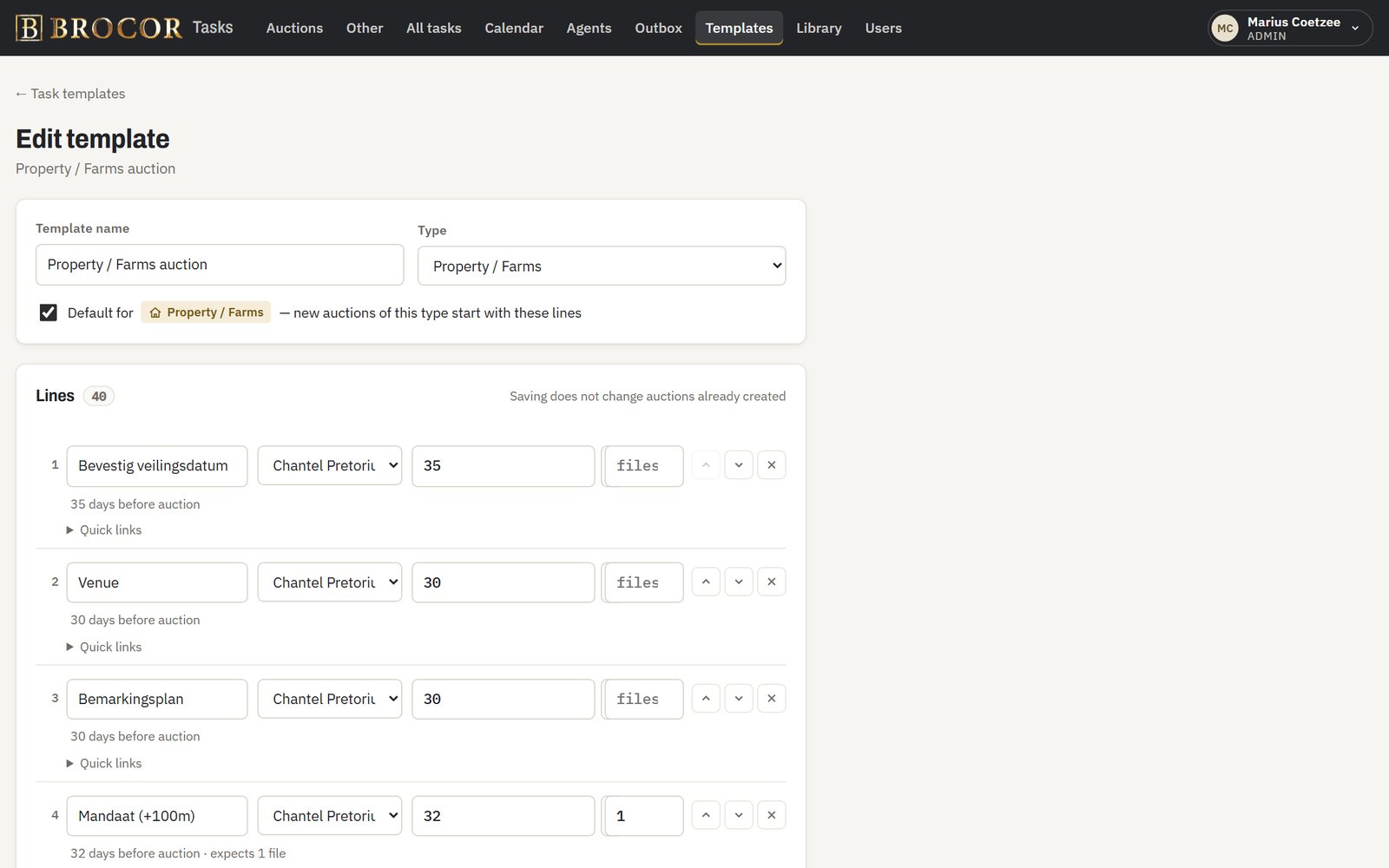
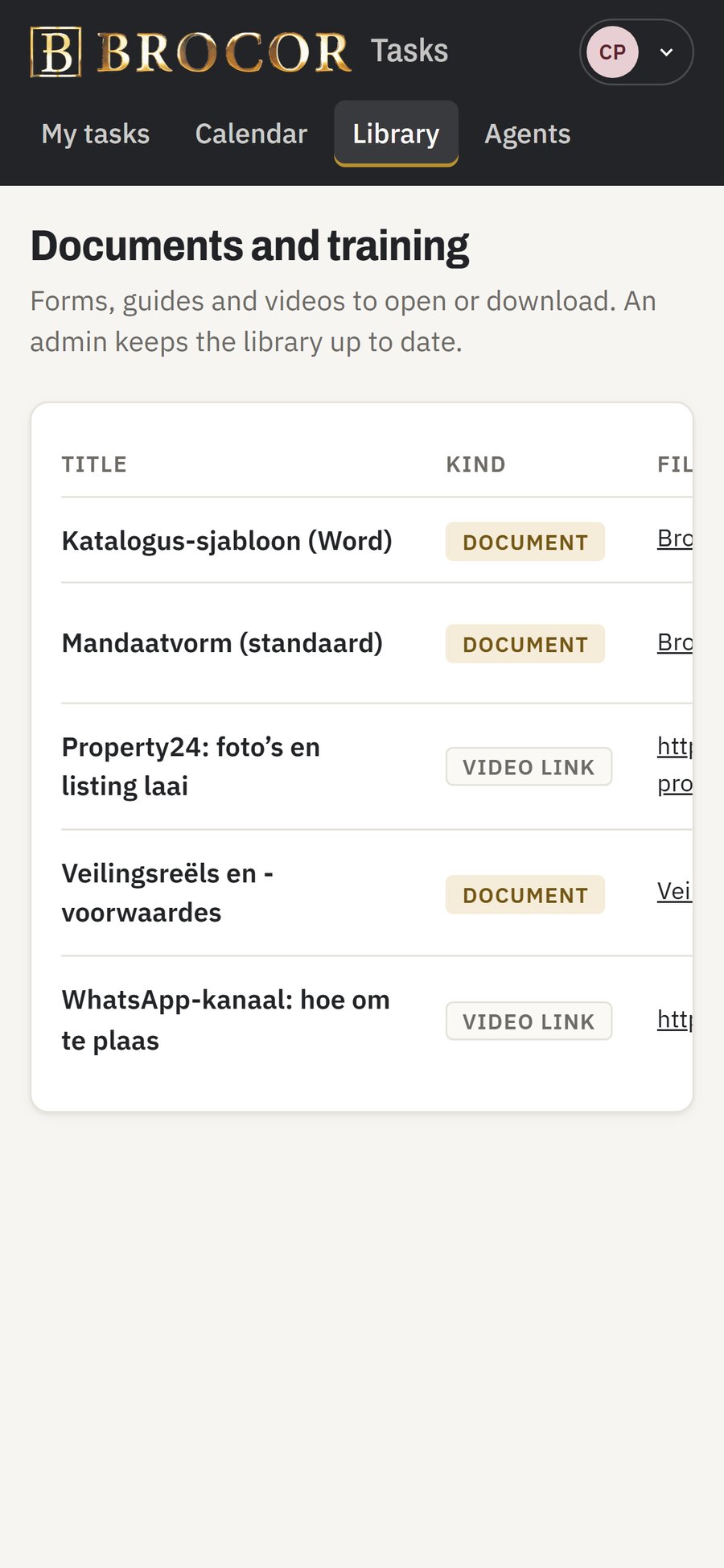
Admins maintain the standard task lists with default people and deadlines; a library of forms and training videos opens straight from a task; and a team directory has one-tap Call and WhatsApp buttons.
Files on the task they belong to
Managers can say a task needs, for example, 15 vehicle documents. The task shows “short” until they are all attached, and every auction has a documents tab.
Roles and safety
Three roles (admin, manager, team member) with server-enforced permissions, a confirmation before every delete, an audit record of who changed what, and privacy-respecting removal of departed staff.
Desktop and phone
Built for the phone
Agents work in the field, so every screen they need works on a phone, with no app store required.
How we worked
Process and timeline
We used Cyberpunk AI's studio process: a written brief, screen designs, a design guide in Brocor's gold and charcoal, a technical specification and a phased build plan, with the client approving each major gate.
- A clickable demo in a day. Brocor saw and used a working demo on 22 October, and their review the next day shaped the full scope.
- Ten delivery phases with approval gates, from the first working skeleton to launch.
- Tested at every step: about 1,100 automated server tests, and around 140 end-to-end journeys run in a real browser at both desktop and phone size, plus automated accessibility checks.
- Launch-ready from day one: hosted in South Africa with HTTPS, nightly backups, branded email, and a roster of 48 staff profiles loaded with photos and contact details.
- Fast feedback: the client's first round of change requests was built, tested and live four days after launch.
Timeline
First demo
22 Oct 2026
Scope approved
27 Oct 2026
Live
2 Nov 2026
First changes live
6 Nov 2026
Results
The outcome
- Every auction's checklist moved from paper into one shared system.
- Managers see overdue and unassigned work across all auctions on one screen.
- Agents work from their phones, and the first page load is about 300 KB, so it opens quickly on mobile data.
- Handover included a 37-page illustrated guide and a narrated welcome video for agents.
Technology
React and TypeScript front end, a Node.js (Express) API with a MySQL database, email through Resend, hosted on a South African VPS behind nginx with automatic HTTPS certificates. Automated testing with Vitest and Playwright, accessibility checks with axe.
Still running part of your business on paper?
Tell us how the work gets done today. You'll get a straight answer on scope, cost and timeline.